
Markdown reference
What is Markdown?
Markdown is a plain text format for writing structured documents. It follows a fairly simple syntax that aims to be readable by both people and computers, making it ideal for static sites that need to be easily editable but also easy to convert to a website.
The aim of this documentation is to provide a brief introduction Markdown syntax along with the extensions that can be used in docs sites.
Paragraphs and line breaks
A paragraph is simply one or more consecutive lines of text, separated by one or more blank lines. Normal paragraphs should not be indented with spaces or tabs.

A line break is line that ends in a backslash \
which causes the next line to follow directly after.
A paragraph is simply one or more consecutive lines of text, separated by one or more blank lines. Normal paragraphs should not be indented with spaces or tabs.
A line break is line that ends in a backslash
which causes the next line to follow directly after.
Headings
There are 6 levels of heading consisting of a number of hashes followed by a blank space.
# Heading h1

## Heading h2

### Heading h3

#### Heading h4

##### Heading h5

###### Heading h6
Heading h3
Heading h4
Heading h5
Heading h6
Notes on headings
- Don't include a top level (
h1) heading as this is automatically added from the title in the document frontmatter. See metadata and frontmatter for more details. - Headings should be used in order, so an h3 on comes after an h2, which means the lower order headings are rarely used.
- There should be a blank line after a heading and before the next element.
Styling text
Bold and italic
To display bold or italic text, wrap it in two stars ** (for bold) or a single underscore _ (for italic).
This is **bold** and this is _italic_.This is bold and this is italic.
Strikethrough
To strikethrough text wrap it in two squiggles ~~.
~~This was a mistake.~~This was a mistake.
Superscripts and subscripts
Superscripts are displayed by surrounding the superscripted text by ^ characters; subscripts may be written by surrounding the subscripted text by ~ characters.
H~2~O is a liquid. 2^10^ is 1024.H2O is a liquid. 210 is 1024.
Lists
Unordered
- Create a list by starting a line with `+`, `-`, or `*`
- Sub-lists are made by indenting 2 spaces:
  - Marker character change forces new list start:
    - Ac tristique libero volutpat at
    - Facilisis in pretium nisl aliquet
    - Nulla volutpat aliquam velit
- Very easy!- Create a list by starting a line with
+,-, or* - Sub-lists are made by indenting 2 spaces:
- Marker character change forces new list start:
- Ac tristique libero volutpat at
- Facilisis in pretium nisl aliquet
- Nulla volutpat aliquam velit
- Marker character change forces new list start:
- Very easy!
Ordered
1. Lorem ipsum dolor sit amet
2. Consectetur adipiscing elit
3. Integer molestie lorem at massa
4. You can use sequential numbers...
5. ...or keep all the numbers as `1.`- Lorem ipsum dolor sit amet
- Consectetur adipiscing elit
- Integer molestie lorem at massa
- You can use sequential numbers...
- ...or keep all the numbers as
1.
Start numbering with offset:
57. foo
1. bar- foo
- bar
Code
Inline code is surrounded by `single backticks`.Inline code is surrounded by single backticks.
```txt
Code blocks start and end with 3 backticks on their own lines.
```
Code blocks start and end with 3 backticks on their own lines.For syntax highlighting the first 3 backticks are followed by a language code.
```js
var foo = function (bar) {
  return bar++;
};

console.log(foo(5));
```
var foo = function (bar) {
return bar++;
};
console.log(foo(5));See the Prism JS documentation for a list of all supported languages.
Links
[External link](https://agile.coop/)

[Internal link](../developers/assets.md)

Plain link <https://agile.coop/>Plain link https://agile.coop/
Images
Images can be uploaded to the docs/_images directory and then linked to using either a relative path to the current document or an absolute path to the root of the docs directory.


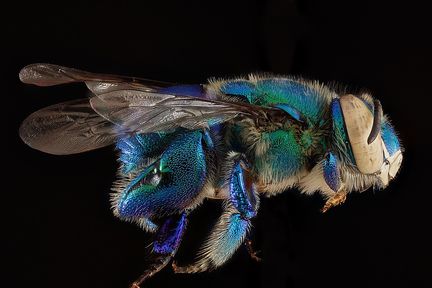
It's also possible to link to images elsewhere on the net.

Tables
You can create tables with pipes | and hyphens -. Hyphens are used to create each column's header, while pipes separate each column. You must include a blank line before your table in order for it to correctly render.
| Tables        |      Are      | Cool |
| ------------- | :-----------: | ---: |
| col 3 is      | right-aligned |    1 |
| col 2 is      |   centered    |    2 |
| zebra stripes |   are neat    |    3 |
| Tables | Are | Cool |
|---|---|---|
| col 3 is | right-aligned | 1 |
| col 2 is | centered | 2 |
| zebra stripes | are neat | 3 |
There must be at least 3 dashes separating each header cell.
Blockquotes
> Blockquotes can also be nested...
>
> > ...by using additional greater-than signs right next to each other...
> >
> > > ...or with spaces between arrows.
Blockquotes can also be nested...
...by using additional greater-than signs right next to each other...
...or with spaces between arrows.
Messages
::: info
Info message
:::

::: warning
Warning message
:::

::: danger
Danger message
:::Emojis
Classic markup: :wink: :+1: :cry: :stuck_out_tongue_winking_eye: :yum:

Shortcuts (emoticons): :-) :-( 8-) ;)
Classic markup: 😉 👍 😢 😋 😜
Shortcuts (emoticons): 😃 😦 😎 😉
For a complete list of supported emojis see the Markdown-it emoji configuration.
Footnotes
Normal footnote
Here is a footnote reference,[^1] and another.[^longnote]

[^1]: Here is the footnote.

[^longnote]: Here's one with multiple blocks.

    Subsequent paragraphs are indented to show that they
    belong to the previous footnote.
Here is a footnote reference,[1] and another.[2]
Inline footnote
Here is an inline note.^[Inlines notes are easier to write, since
you don't have to pick an identifier and move down to type the
note.]
Here is an inline note.[3]
Footnotes
Last updated: